La documentation est disponible en anglais.
Documentation / Core concepts
API keys & auth
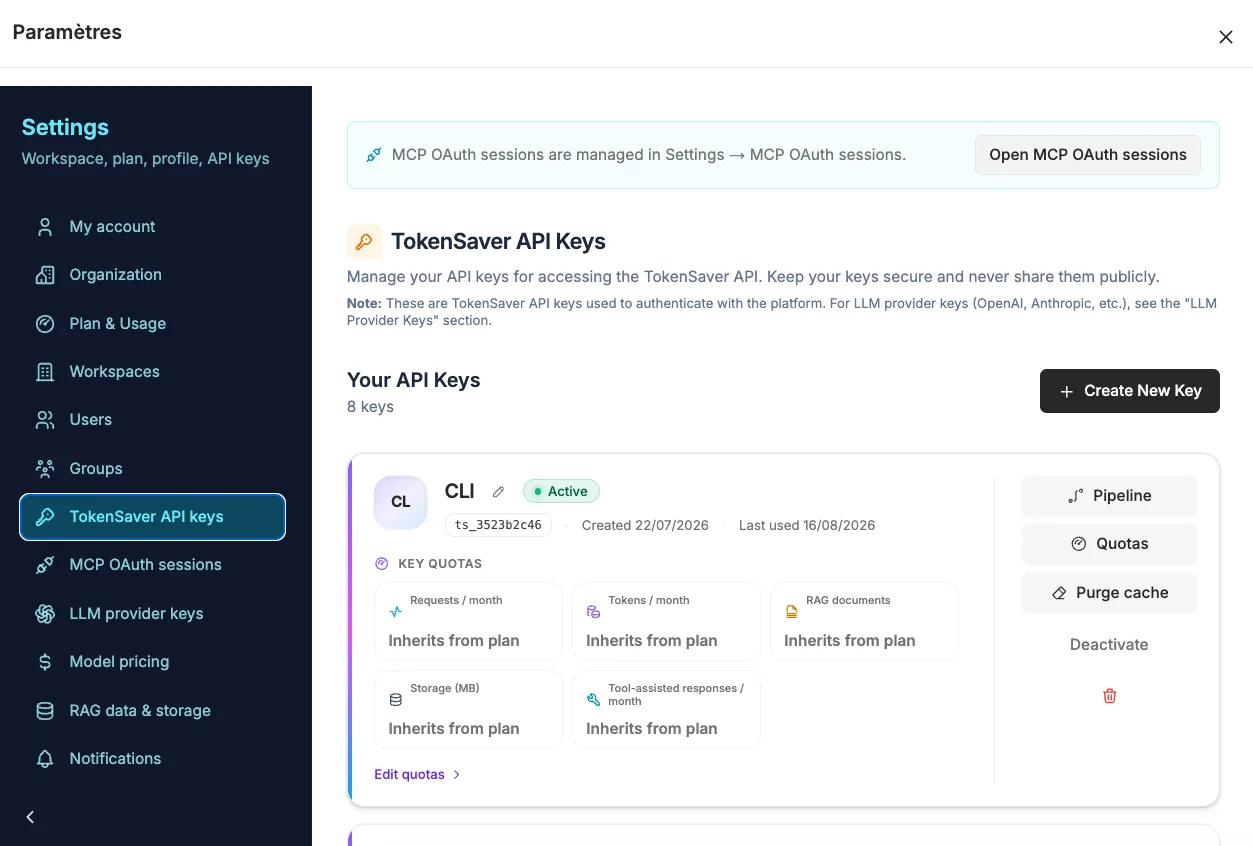
Create a TokenSaver key (ts_…) in the console. Send it as Bearer on HTTP APIs or via the SDK / CLI login.
TokenSaver key (ts_…)
Authenticates to the control plane. Used by clients as OPENAI_API_KEY / ANTHROPIC_API_KEY when base URL points at TokenSaver.
Provider keys
OpenAI, Anthropic, Google… stored in Settings for BYOK / hosted routing. Never put these in LibreChat as the ‘OpenAI key’ when using egress.
MCP OAuth pivot keys
Hosted MCP clients that cannot paste a Bearer header (Claude.ai, Mistral Studio / Le Chat) use OAuth 2.1. After consent, TokenSaver creates a pivot API key (e.g. label Mistral MCP) bound to your workspace — same quotas and policies as a manual ts_…. Revoke under Settings → Connexion MCP / OAuth sessions.
curl -sS https://api.tokensaver.fr/api/v1/pipelines/run \
  -H "Authorization: Bearer ts_…" \
  -H "Content-Type: application/json" \
  -d '{"messages":[{"role":"user","content":"Hello"}]}'