
La documentation est disponible en anglais.
Documentation / Use cases
Cache & savings
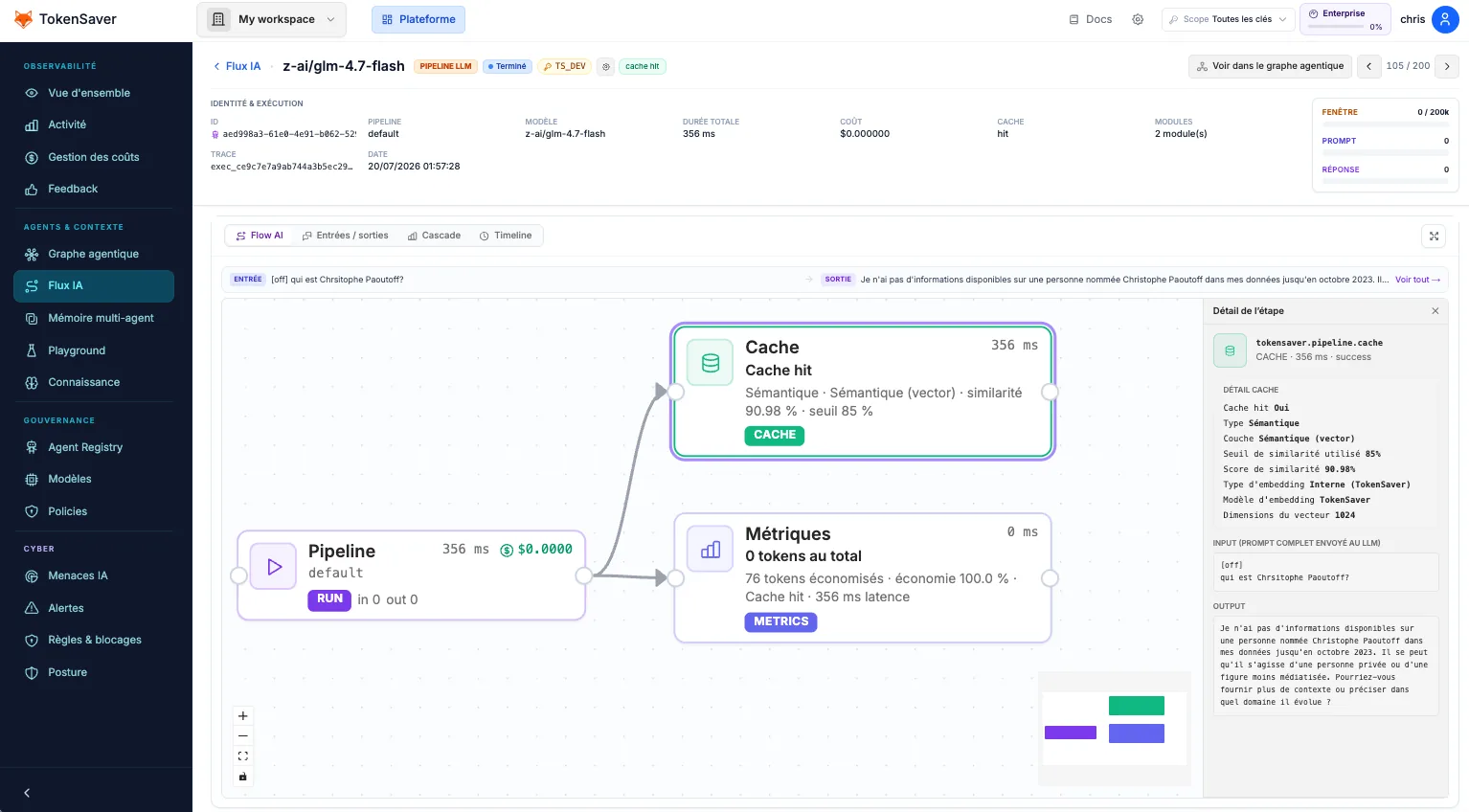
Turn on the Cache module for a key so repeated, equivalent prompts can return a hit and skip the upstream LLM — while still appearing in Flux IA.
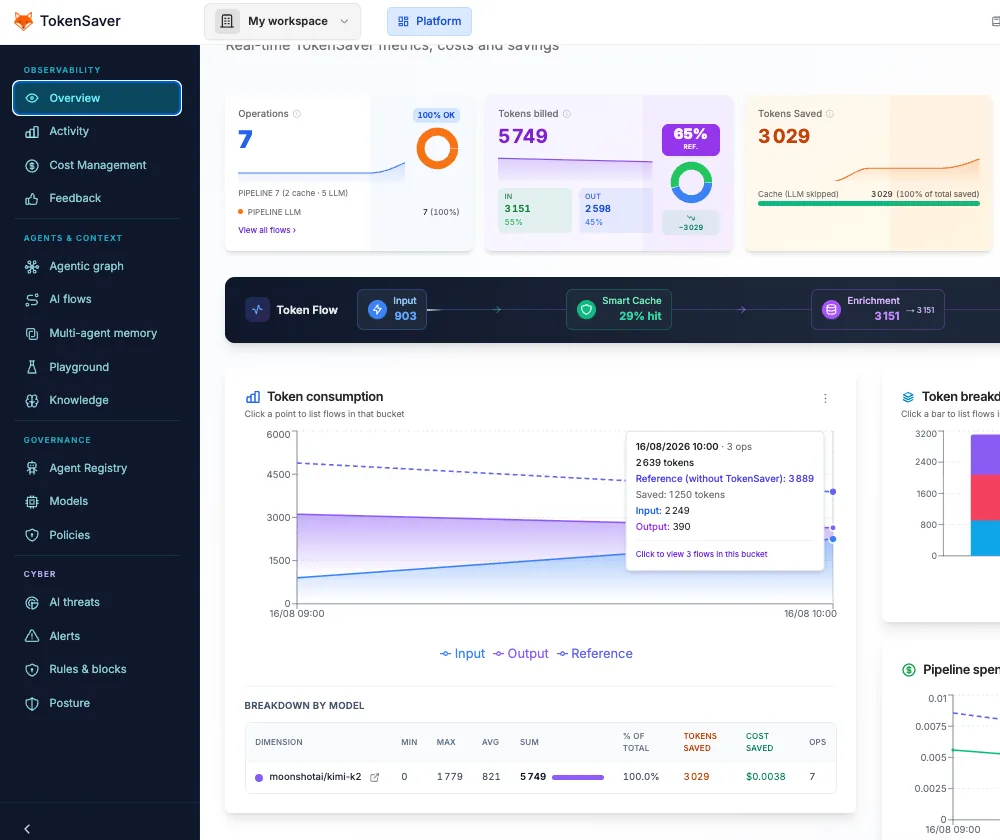
Cache is the fastest win for demos and production bots that re-ask similar questions (onboarding scripts, eval harnesses, FAQ agents). Savings show up in Cost Management and on overview KPIs as cache hit rate.
- Prompt
- Cache lookup
- Hit → skip LLM
- Flux IA still records the op
First call
Miss: pipeline may compress / RAG / PII, then call the provider. Tokens billed include the LLM.
Second identical call
Hit: response served from cache. Provider not called. Dashboard shows hit; graph still has a hub.
- Enable Cache policy Governance → API key → Cache ON. Confirm the Modules panel shows Cache actif for that key.
- Send the same prompt twice Use SDK ask(), curl on /openai/v1, or any Connect tool. Keep model and message content identical.
- Check Flux IA + costs Second row should indicate cache. Overview / Cost Management should reflect lower billed tokens.
# 1) Governance: Cache ON for ts_…
# 2) Call twice with the same body
curl -sS "$OPENAI_BASE_URL/chat/completions" \
  -H "Authorization: Bearer ts_…" -H "Content-Type: application/json" \
  -d '{"model":"gpt-4o-mini","messages":[{"role":"user","content":"Ping"}]}'
# Repeat immediately — expect cache hit in Flux IA