
La documentation est disponible en anglais.
Documentation / Use cases
Agents & MCP
Coding agents and chat hosts (Cursor, Claude Code, Mistral Studio) call tools through MCP. TokenSaver’s Trust Gateway applies policy; the agentic graph shows the tool neighbourhood around each hub.
This is where TokenSaver’s innovation is most visible: not only “an LLM proxy”, but a trust layer for tools plus a cartography of what the agent actually did.
- IDE / chat host
- MCP client
- Tools / Trust Gateway
- TokenSaver audit
- Agentic graph
- Route the agent tokensaver route cursor / claude — or paste MCP URLs from doctor into the IDE config. For Mistral Studio, use OAuth against mcp.tokensaver.fr/mcp.
- Run a tool-using task Ask the agent to read a file or call a tokensaver_* tool so MCP traffic is generated.
- Open Flux IA then the graph Find the MCP / egress hub → « Voir dans le graphe agentique » → expand tools and open the inspector.
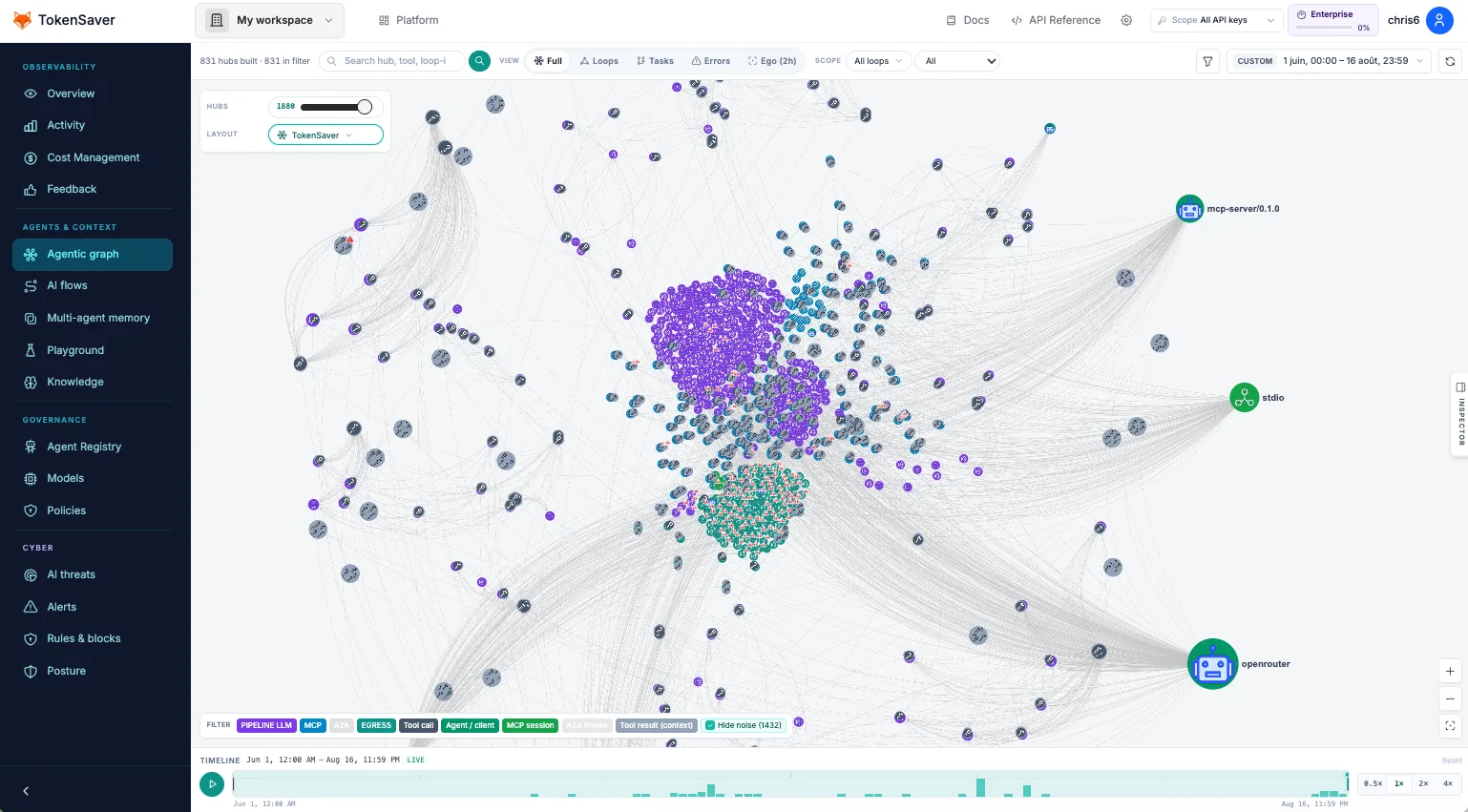
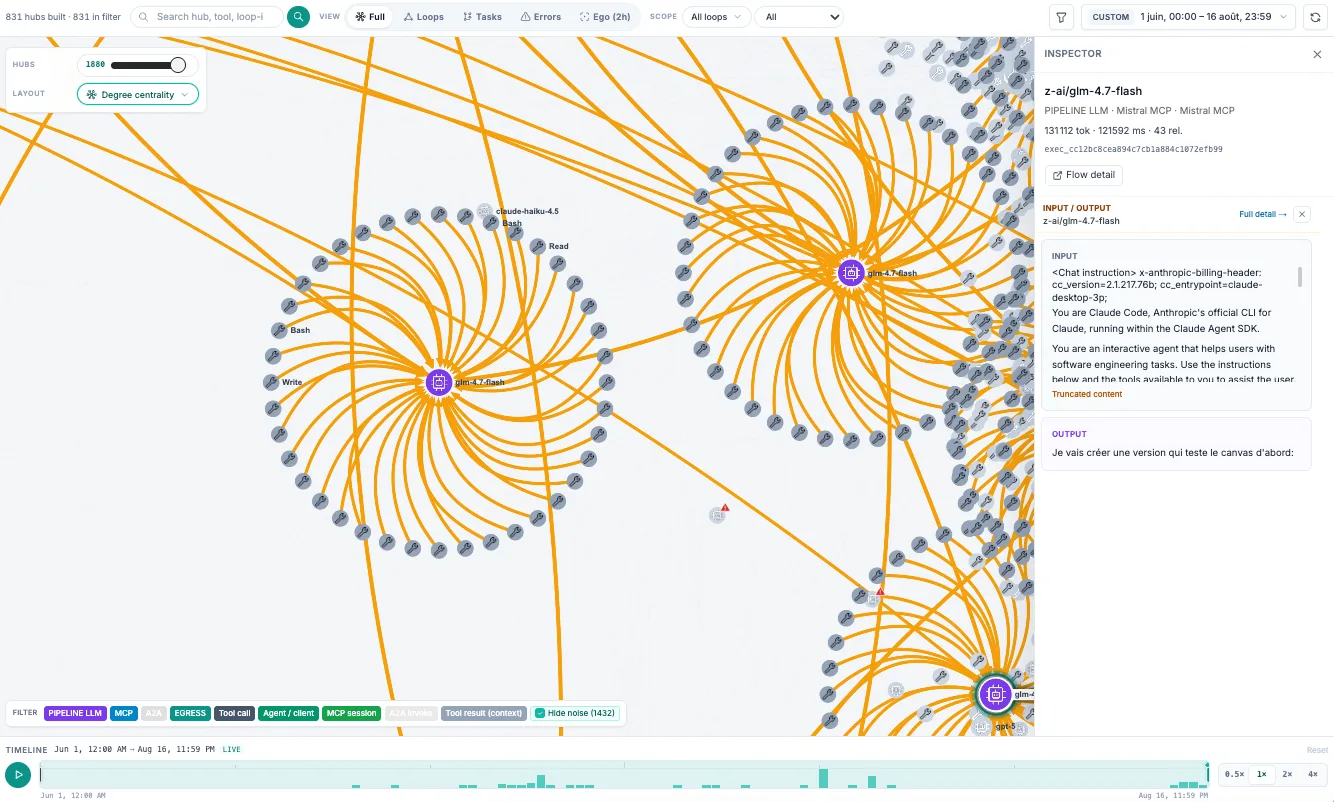
Related: Connect Cursor, Claude Code, Mistral Studio, Agentic graph, Build → MCP.