
TokenSaver documentation
Everything to route, govern and observe your AI agents with TokenSaver: concepts, build paths, integrations and the API reference.
TokenSaver Docs
Governed AI control plane
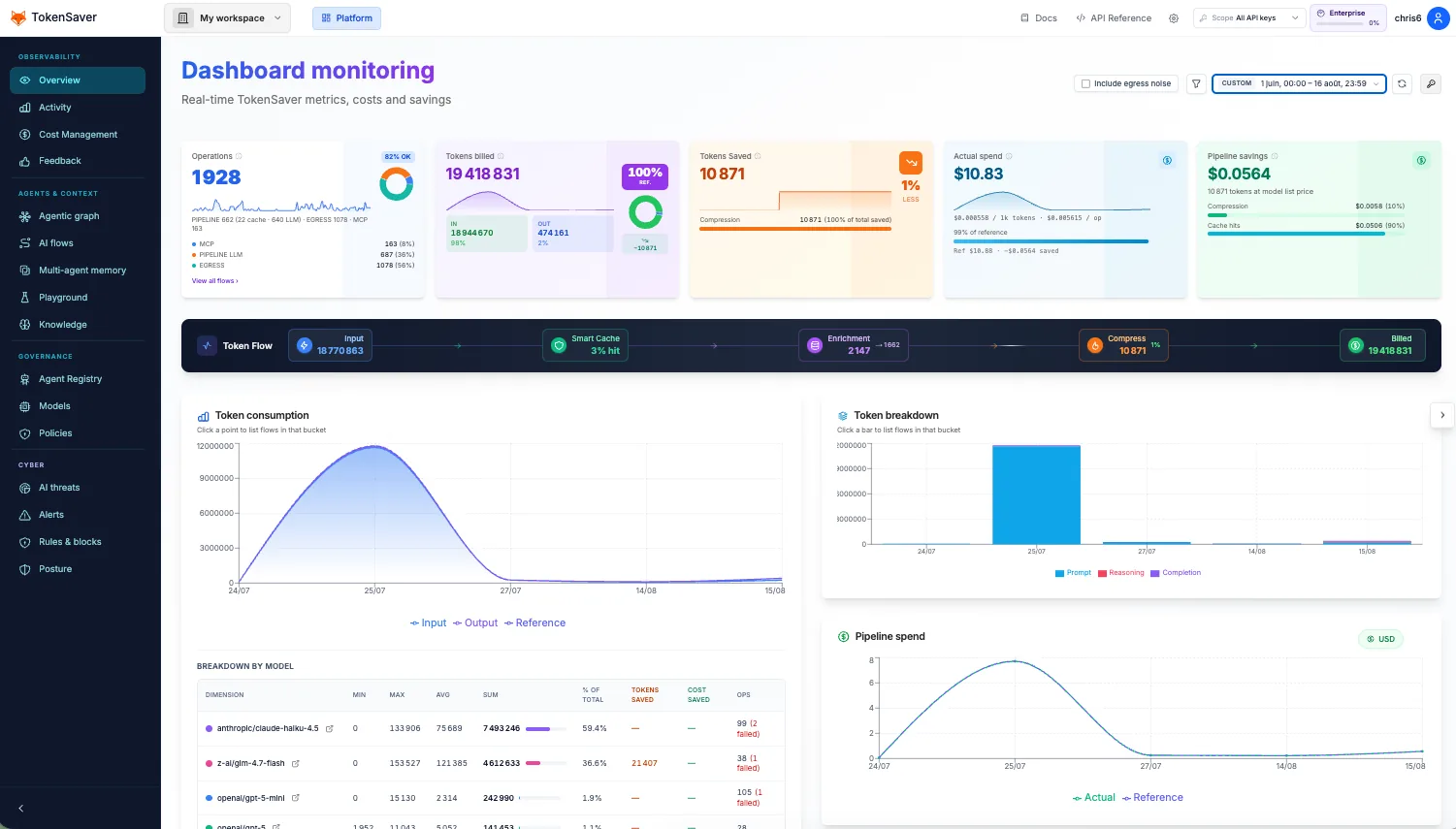
TokenSaver sits between your agents, apps, and LLM providers. Every call can run the same pipeline — cache, RAG, compression, PII — whether it arrives from the CLI, an OpenAI-compatible UI, n8n, or the Python SDK. Then you observe it in Flux IA and the agentic graph.
- Your tools & apps
- TokenSaver (ts_…)
- Governed pipeline
- LLM providers
Flagship
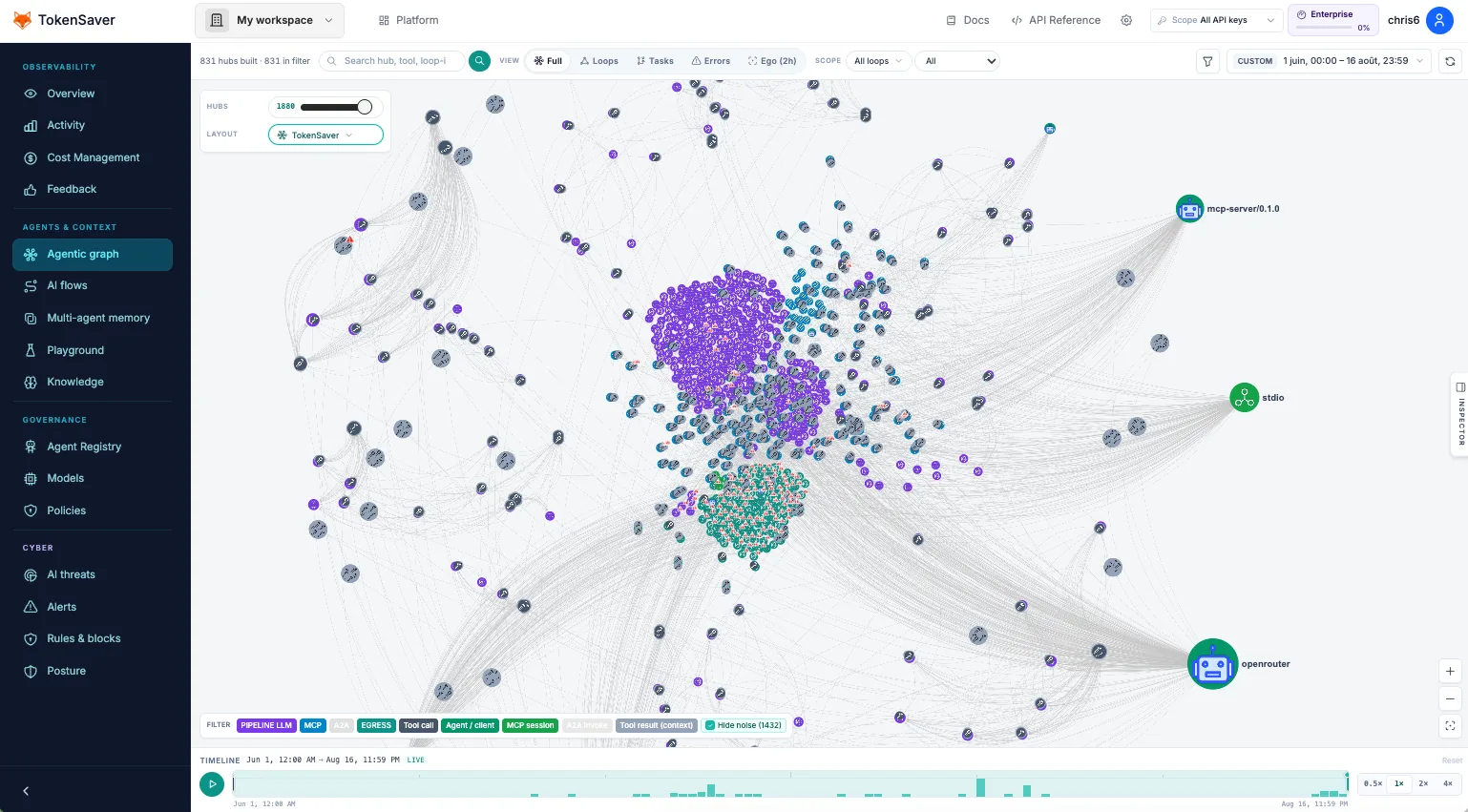
Agentic graph
Live cartography of pipeline, MCP, egress, and A2A runs — loops, tasks, and tool neighborhoods. Use it to explain agent behaviour to security, product, and customers.
Who are you?
Docs are organised for three readers. Each path mixes explanations, diagrams, and reserved image slots for console captures.
Open-source starters: tokensaver-cli · tokensaver-egress — full matrix on Connect — how to plug in.
What TokenSaver is not
Not a new chat UI, not a replacement for OpenAI/Anthropic, not a vector DB you operate alone.
What it is
A control plane: one key (ts_…), policies per key, compatible HTTP + MCP + CLI, and full observability.
- Create a TokenSaver key Console → API keys → ts_…. Add provider keys in Settings if you use BYOK.
- Pick a path Connect a market tool, or Build with CLI/SDK/egress.
- Turn on modules Governance: Cache / RAG / Compression / PII as needed.
- Verify Flux IA rows + agentic graph hubs for the same period.
Also in Docs
- Use cases cookbook — RAG, cache, PII, agents
- API reference — Native, OpenAI-compatible, Anthropic-compatible contracts