
Docs / Connect tools
Connect — how to plug in
One control plane, many on-ramps. Pick a connection method below, then jump to a market-tool recipe. Same ts_… key, same policies, same Flux IA traces.
Use this section when you want to interface TokenSaver — via CLI, HTTP egress, MCP, or a low-code tool. Developers who need SDKs and full contracts should also open Build.
Open-source starters
Fastest laptop on-ramps — install from PyPI, source on GitHub.
tokensaver-cliRoute Claude Code, Cursor & Codex through the control plane — login, route, MCP, Flux IA. Free OSS CLI.GitHub · PyPI · Docs → Build · CLI
tokensaver-egressClient-side HTTPS egress proxy (MITM) for Claude Code / Cursor / agents — capture & govern without changing the provider base URL.GitHub · PyPI · Docs → Build · Egress
Do not confuse these surfaces
| Surface | Role | Production URL |
|---|---|---|
| CLI (tokensaver-cli) | Configures this machine — not an HTTP API | — |
| LLM HTTP egress | Drop-in OpenAI / Anthropic HTTP | api.tokensaver.fr/openai/v1 · /anthropic |
| Client egress (MITM) (tokensaver-egress) | Local HTTPS proxy → ingest / Flux IA | localhost proxy |
| Native API / SDK | Full platform HTTP (pipelines, chat, RAG…) | api.tokensaver.fr/api/v1 |
| MCP tools (A) | Platform tools (tokensaver_chat, quotas, runs…) | mcp.tokensaver.fr/mcp |
| Trust Gateway (B) | Govern other MCP servers behind TokenSaver | gateway.tokensaver.fr/mcp |
| A2A | Agent-to-agent JSON-RPC | Docs → Build → A2A |
Choose a path
| If you… | Use | Start here |
|---|---|---|
| Run Claude Code / Cursor / Codex on a laptop | CLI | Build · CLI |
| Keep a Claude Pro/Max (or similar) subscription and still govern traffic | Client egress MITM | Build · Egress (MITM) |
| Already have an OpenAI- or Anthropic-shaped client | LLM HTTP egress | Build · LLM egress |
| Build a Python app (RAG, sessions, policies) | SDK | Build · SDK |
| Need raw HTTP control | Native REST | API reference |
| Want platform tools inside an agent host | MCP A | Build · MCP |
| Want to govern third-party MCP servers | Trust Gateway | Build · MCP |
| Orchestrate agents | A2A | Build · A2A |
- Market tool
- Base URL or MCP
- TokenSaver (ts_…)
- LLM provider
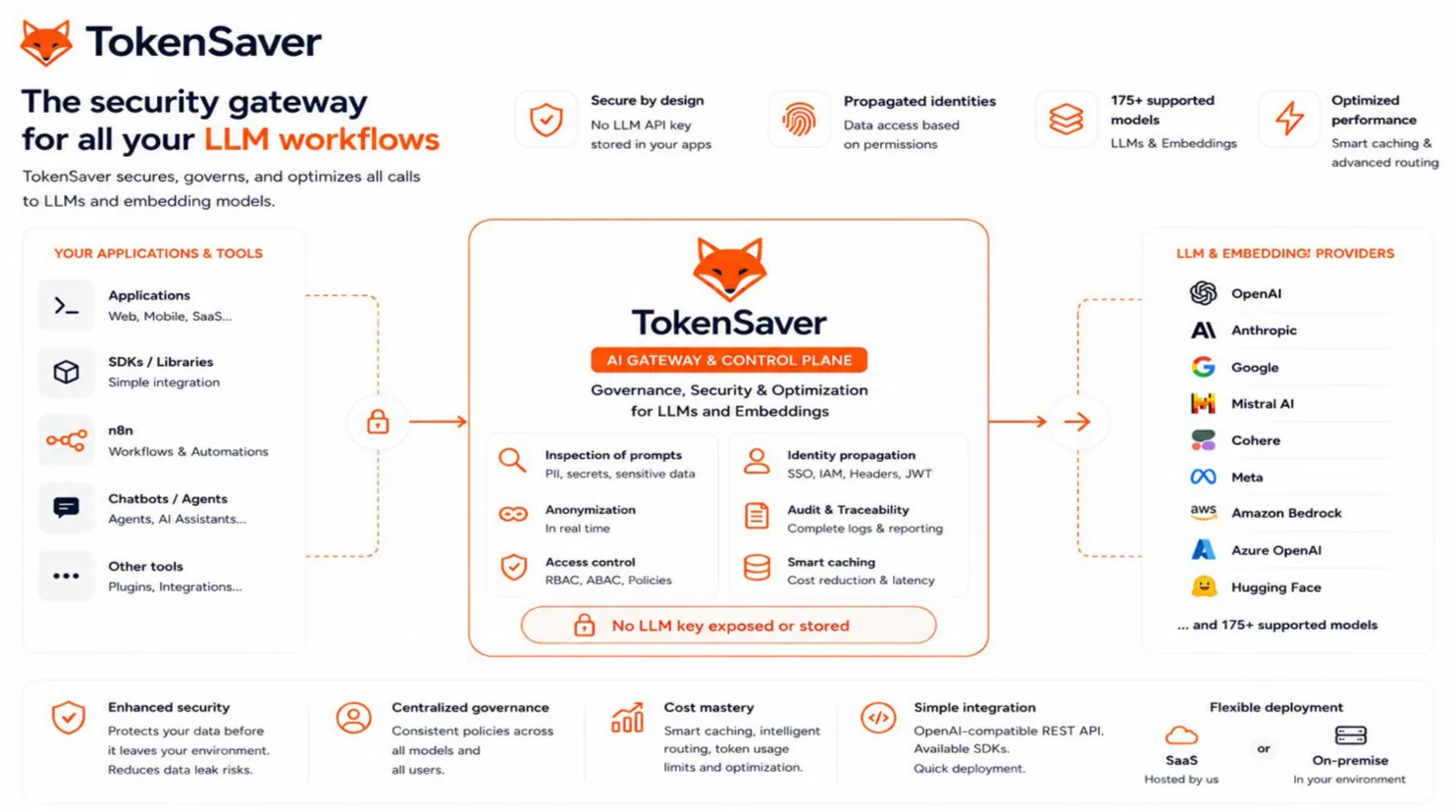
Market-tool families
- IDE / agents — Claude Code, Cowork, Cursor, Codex, Hermes Agent
- Chat UIs — Mistral Studio / Le Chat, Open WebUI, LibreChat
- Automation — n8n, Make, Zapier
- Frameworks — LangChain, LangGraph, CrewAI
- Providers & OSS — catalogue page
- Create ts_… Console API keys. Keep provider keys in Settings, not in the chat UI.
- Pick the pattern Chat/automation → OpenAI base URL. IDE agents → CLI route and/or MCP. Keep Pro subscription → client egress MITM. Mistral Studio / Claude.ai → MCP OAuth to mcp.tokensaver.fr/mcp.
- Enable policies Governance for that key (cache, RAG, PII) so every tool inherits the same rules.
- Verify in monitoring Flux IA row + optional agentic graph hub for the same window.