
Docs / Use cases
RAG knowledge
Ground answers in your documents without rewriting every client. Upload once, enable RAG on the API key, then ask via SDK, egress HTTP, or a chat UI.
When to use it
Product FAQs, internal runbooks, contracts, and support macros are classic RAG workloads. Without a control plane, every app reinvents upload + chunking + retrieval. With TokenSaver, RAG is a policy module on the key — LibreChat and a Python service can share the same corpus behaviour.
Without TokenSaver
Each tool embeds its own vector store. Policies differ per app. Hard to prove what context was injected into a given answer.
With TokenSaver
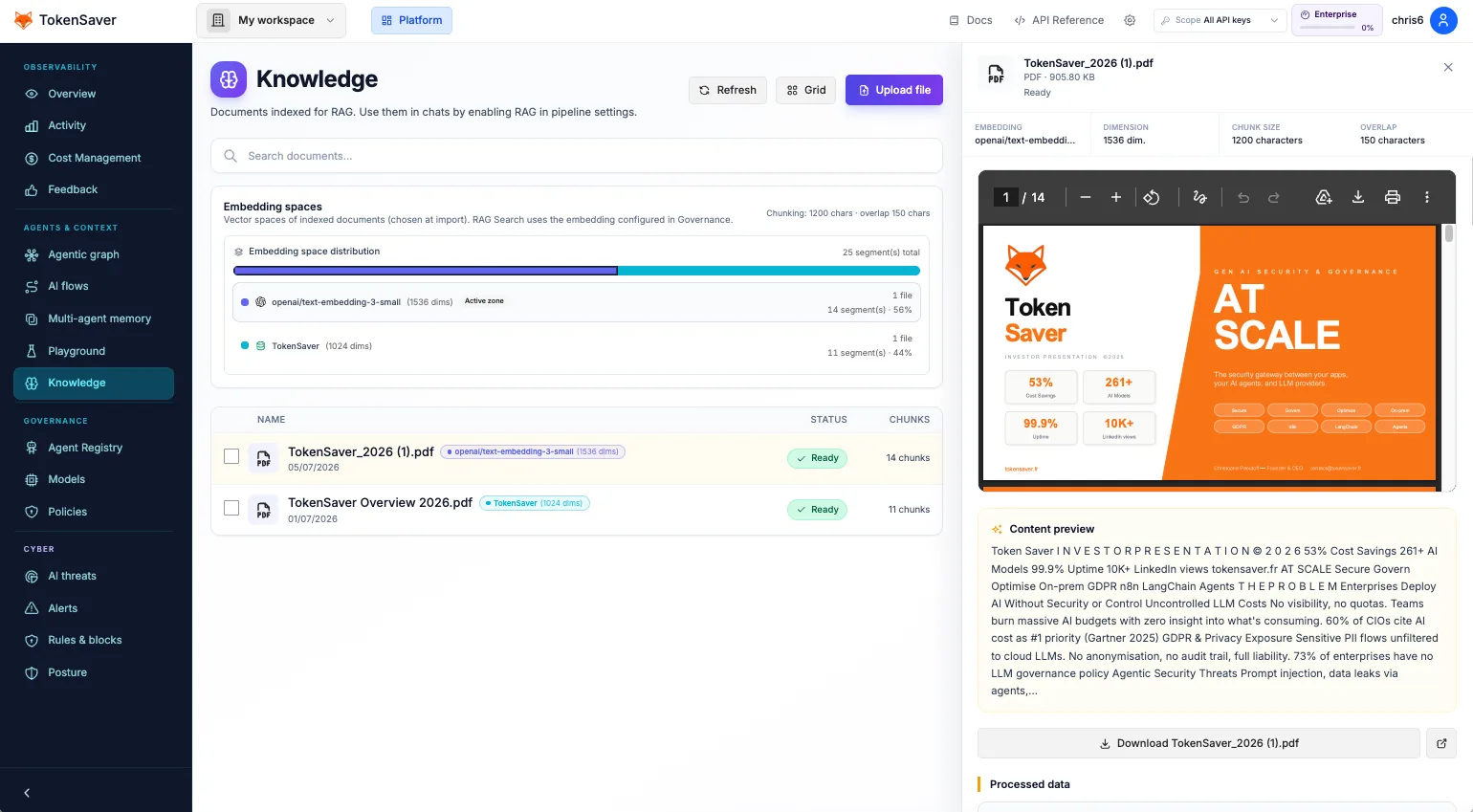
Documents live in the platform RAG store. The pipeline retrieves before the LLM. Flux IA shows that retrieval ran for the request.
- Upload docs
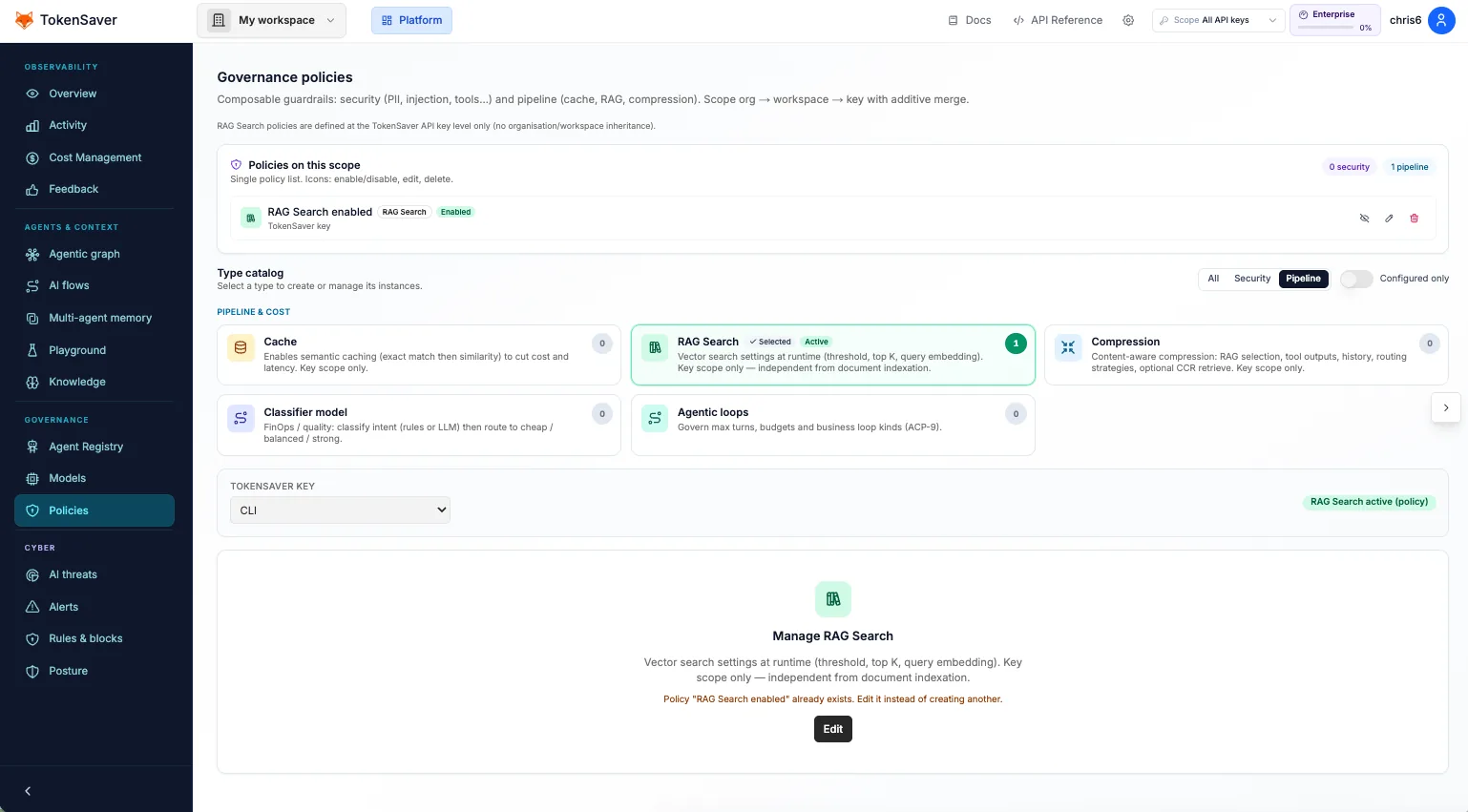
- RAG policy on
- ask() / chat / egress
- Cited context → LLM
- Upload knowledge Console Knowledge / RAG upload (PDF) or Native API / SDK helpers. Wait until indexing finishes.
- Enable RAG on the key Governance → select the ts_… key → turn on Recherche RAG (and Cache if you also want hits).
- Ask through any path SDK ask(), OpenAI-compatible chat, or a Connect tool (Open WebUI, n8n). Same key, same policy.
- Verify Open Flux IA for the run — retrieval / RAG steps should appear. Optionally open the agentic graph hub.
Minimal SDK example
from tokensaver_sdk import TokenSaverClient

client = TokenSaverClient(api_key="ts_…")
# After docs are indexed and RAG policy is enabled on this key:
answer = client.ask("What is our refund window?")
print(answer)
Deep guides: RAG upload, Server chat + RAG, Native RAG API.